
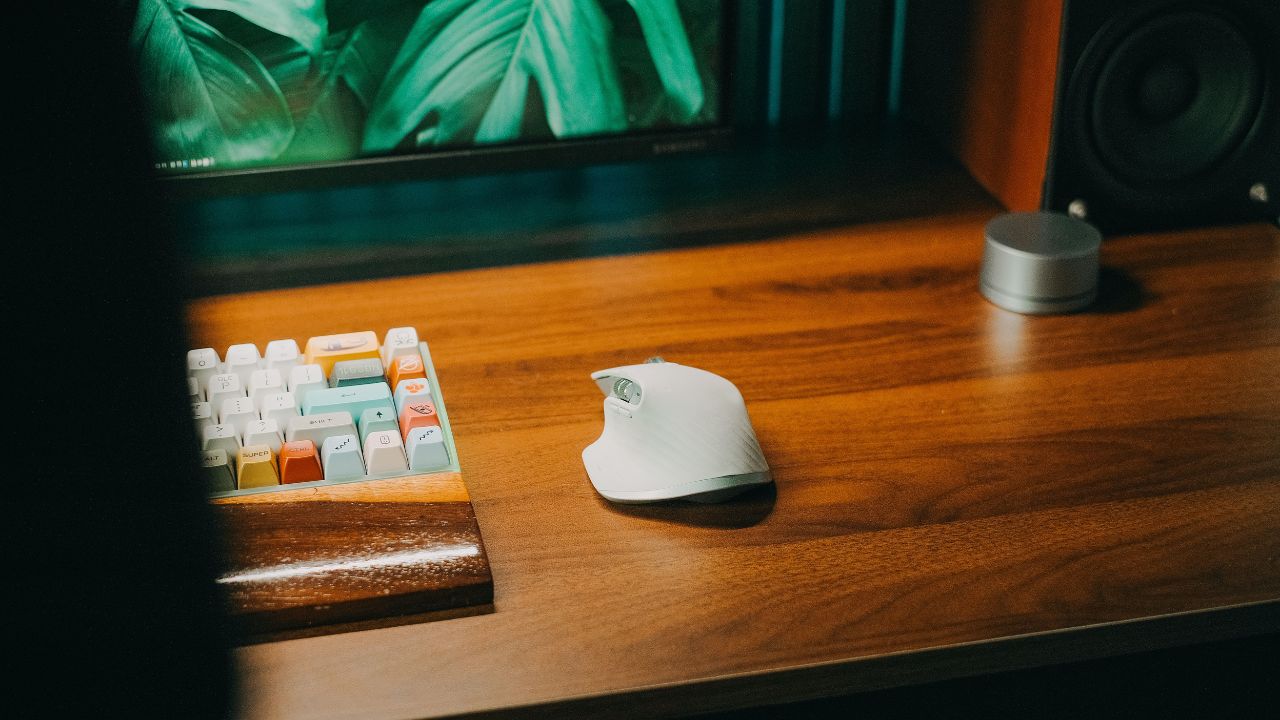
Connecting a keyboard or headset to a computer seems harmless, but the rules change when that computer belongs to a government organization. If you are wondering which of the following personally owned peripherals can you use with government furnished equipment, the answer depends on the type of peripheral, its connection method, and the policies governing that system.
Government Furnished Equipment, commonly called GFE, may contain or provide access to sensitive information. That is why connecting personal hardware is treated as a cybersecurity issue rather than simply a matter of convenience.
Understanding these rules is particularly important for government employees, contractors, military personnel, and anyone completing cyber-awareness training. A peripheral that works perfectly on a personal laptop is not automatically appropriate for a government computer.
Which of the Following Personally Owned Peripherals Can You Use With Government Furnished Equipment?
Under published DoD Cyber Awareness Challenge guidance, certain personally owned peripherals have been permitted with GFE when they meet specific connection requirements. Examples include wired keyboards, mice, and trackballs connected through USB.
The guidance has also identified USB-connected headphones and headsets, including models with or without microphones, as permitted. USB hubs are another listed category. However, users should always follow their organization’s current security policy because local or agency-specific restrictions may be stricter.
Personally Owned Peripherals Commonly Permitted
Published Cyber Awareness guidance has listed the following examples:
- Wired keyboards connected through USB
- Wired mice connected through USB
- Wired trackballs connected through USB
- USB hubs
- Headphones connected through USB
- Headsets with or without microphones connected through USB
- Certain external monitors using approved video connections
The connection method matters. A device being safe in one configuration does not mean every version of that device is acceptable.
Why Are Some Personal Peripherals Restricted?
To understand which of the following personally owned peripherals can you use with government furnished equipment, it helps to understand why restrictions exist. GFE operates in an environment where protecting information, networks, and systems is a priority.
Unauthorized hardware can create additional pathways for data transfer, introduce unapproved software, or create wireless connections that administrators cannot adequately control. Consequently, government cybersecurity policies distinguish between relatively simple peripherals and devices that introduce additional capabilities.
Wireless Connections Can Create Additional Risk
Bluetooth and other wireless peripherals are generally treated differently from ordinary wired devices. Wireless connections create another communications channel, which can increase security concerns.
For that reason, a personal Bluetooth keyboard, mouse, or headset should not be assumed to be acceptable merely because a similar USB-connected version is allowed.
Driver Installation Is Another Concern
Some peripherals require software or drivers before they work. Users generally should not install unapproved software or drivers on GFE simply to make a personally owned accessory function.
If a webcam, display, headset, or other device requires a driver, check the applicable IT policy or contact authorized IT support rather than installing software yourself.
Can You Connect a Personal Monitor to GFE?
When asking which of the following personally owned peripherals can you use with government furnished equipment, monitors deserve special attention because the type of connection matters.
Published DoD Cyber Awareness guidance has permitted personal monitors when connected using standard video connections such as:
- VGA
- DVI
- HDMI
- DisplayPort
The guidance also specifies conditions, including that other devices should not be connected through the monitor. A monitor connected through USB is treated differently and has been listed among configurations that are not permitted.
Why Wired Keyboards and Mice May Be Permitted
A basic wired keyboard or mouse has a relatively straightforward purpose: sending user input to a computer. This helps explain why Cyber Awareness guidance has specifically identified wired keyboards, mice, and trackballs connected through USB as permitted examples.
This does not mean every USB accessory is automatically acceptable. USB storage drives, smartphones, unusual multifunction devices, and peripherals requiring additional software fall into different risk categories and should never be treated as equivalent to a basic wired keyboard or mouse.
Government Furnished Equipment and Local Policies
There is an important qualification to any answer about which of the following personally owned peripherals can you use with government furnished equipment: organizational policies can vary.
Department of the Navy guidance, for example, notes that the permissibility of personally owned peripherals can depend on the work environment. Something allowed in a telework setting might not be permitted in an office or secure workspace.
Therefore, employees should treat general training guidance as a baseline rather than permission to connect any personal accessory in every government environment.
What Should You Check Before Connecting a Peripheral?
Before connecting personal equipment to GFE:
- Identify exactly what the device does.
- Determine whether it uses a wired or wireless connection.
- Check whether additional drivers or software are required.
- Confirm that the device complies with current organizational policy.
- Ask authorized IT or cybersecurity personnel when uncertain.
These simple checks reduce the chance of accidentally violating security requirements.
Personally Owned Devices vs. Government Furnished Peripherals
People sometimes confuse a peripheral with a separate computing or storage device. A keyboard, mouse, headset, and monitor are examples of peripherals. A smartphone, external storage drive, or other device capable of storing and transferring significant amounts of information presents different security considerations.
This distinction is important when evaluating which of the following personally owned peripherals can you use with government furnished equipment. The fact that a device has a USB connector does not make it an approved peripheral.
Users should never assume that “USB means permitted.” The purpose, capabilities, manufacturer, connection type, software requirements, and applicable organizational rules all matter.
Frequently Asked Questions
What personally owned peripherals can be used with GFE?
Published DoD Cyber Awareness guidance has identified wired USB keyboards, mice, trackballs, USB hubs, and USB headphones or headsets among permitted peripherals. Certain monitors can also be permitted when connected through approved video interfaces. Always follow current local policy.
Can I use my personal USB keyboard with a government computer?
A basic wired keyboard connected through USB has been specifically listed as a permitted peripheral in DoD Cyber Awareness guidance. Local restrictions may still apply.
Can I use a personal mouse with GFE?
A wired USB mouse has also been listed among permitted personally owned peripherals. Wireless and Bluetooth mice should not automatically be treated the same way.
Can Bluetooth peripherals be connected to GFE?
Bluetooth and other wireless external computer peripherals have been identified as not permitted in published Cyber Awareness Challenge guidance. Always check your organization’s current requirements.
Can I use my personal monitor with government equipment?
Certain personal monitors may be permitted when connected through VGA, DVI, HDMI, or DisplayPort and when applicable conditions are met. USB-connected monitors have been treated differently under the published guidance.
Can I install drivers for my personal peripheral?
Users should not install drivers simply to make personal hardware work on government equipment. Published guidance identifies installing drivers to support personally owned peripherals as a restricted practice.
Are all USB peripherals safe to use?
No. USB is only a connection standard. A wired USB keyboard and a USB storage device have very different capabilities and security implications. Only connect devices that comply with the applicable policy.
Why does the government restrict personal computer accessories?
Restrictions help protect government information and systems against unauthorized data transfers, unapproved software, wireless communications, and other cybersecurity risks.
Conclusion
So, which of the following personally owned peripherals can you use with government furnished equipment? Published DoD Cyber Awareness guidance has permitted several basic wired peripherals, including USB keyboards, mice, trackballs, USB hubs, and USB-connected headphones or headsets, while certain monitors are allowed under specified connection conditions.
The most important rule is not to assume that a personal accessory is authorized simply because it can physically connect to a government computer. Policies can differ between organizations and work environments, and requirements can change. When there is any uncertainty, follow your organization’s current cybersecurity policy or check with authorized IT or security personnel before connecting the device.